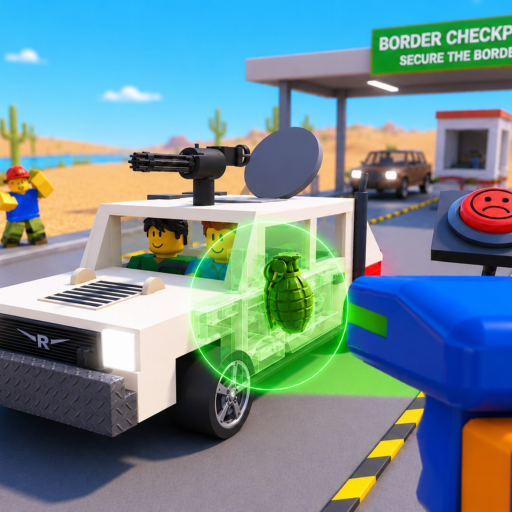
Secure the Border Engine Search Guide: Inspection Steps
Use this Secure the Border engine search guide to cover engines and trunks, log live findings, connect X-ray evidence, and avoid unsupported item claims.
This Secure the Border engine search guide turns the confirmed vehicle-search feature into a clean inspection route. Treat the engine and trunk as separate areas, record what the current client shows, and resist naming an object before the game supplies enough evidence.
Evidence note: The official description confirms searches of trunks and engines, but no reliable complete search animation, item-location rule, interaction binding, result list, or consequence table was available.
Watch this dated gameplay for checkpoint orientation, then follow the current prompts at each vehicle. The footage is context, not a fixed search specification.
Open the official Secure the Border Roblox experience to compare the current client with this search workflow.
Confirm both physical search areas
The official page names trunks and engines separately. A reliable route therefore checks them as separate observations whenever the current vehicle and interface make both available. Do not assume a clear trunk automatically clears the engine, or that an X-ray replaces every physical interaction.
Approach one area at a time and wait for the visible prompt. Note where you stood, which panel or compartment state was active, and the exact result after the interaction. If a prompt does not appear, check position and vehicle state before treating the area as unavailable.
Use a coverage route that can be repeated
Choose an order and keep it stable across several vehicles. The purpose is not to claim one universal fastest path; it is to make a missed area obvious.
| Stage | Action | Record live | Boundary |
|---|---|---|---|
| Orient | Identify the vehicle and available prompts | Current station, side, and compartment labels | Do not assume every vehicle exposes identical areas |
| Scan | Run the X-ray when available | Exact highlight or message | A shape alone does not establish an item name |
| Trunk | Use the current trunk interaction | Prompt, compartment state, and result | A clear result does not automatically clear the engine |
| Engine | Use the current engine interaction | Prompt, compartment state, and result | No fixed spawn rule was verified |
| Resolve | Compare the independent observations | Decision offered and game response | Do not invent a penalty or cash amount |
If the scan suggests further attention, carry that observation into the physical search note without turning it into a verdict. If no scan is available, the physical search remains its own evidence channel. The X-ray vehicle guide explains how to preserve that boundary.
Log findings without inventing an item list
For each finding, save the exact live label if the game provides one. Add the search area, prompt or feedback, date, and final response. If the object is visible but unnamed, describe the observation plainly instead of assigning a community nickname as an official item.
A practical record includes:
- Current client date and platform.
- Vehicle or station context shown by the game.
- Search area: trunk or engine.
- Exact prompt used and result text.
- Item label only when the live interface supplies it.
- Related X-ray or document observation, kept in a separate field.
- Final decision response, without an invented reward or penalty value.
This log supports the item-list method. Several consistent entries can reveal what deserves a new verification check, but they still do not prove a complete catalog, rarity, or fixed location probability.
Maintain the route under rising difficulty
The official description says the game becomes harder the longer you survive. It does not publish numeric scaling or prove that every later vehicle uses a different search rule. When pressure rises, keep the route stable and shorten nonessential movement rather than skipping evidence categories at random.
If a bribe, smuggler, or raider event interrupts the vehicle, read the live prompt before continuing. Note whether the compartment remained open, whether the search state reset, and which step needs repeating. Do not assume the event's correct input or outcome from its name alone.
If a compartment repeatedly fails to respond, use the checkpoint controls guide to isolate position, camera, prompt, and platform binding. A repeatable failure note is useful; frantic input is not.
Frequently asked questions
Can you search both trunks and engines in Secure the Border?
Yes. The official description explicitly confirms both search areas. Their exact prompts and availability should be checked on the current vehicle and platform.
Does the X-ray tell me what is in the engine?
The available evidence confirms vehicle X-rays but does not provide a complete indicator-to-item map. Record the scan and physical search as separate observations.
Are illegal items always in the same location?
No reliable fixed-location or spawn-rate rule was available. Do not publish a trunk or engine probability from an isolated run or dated video.
What should I do when the engine prompt is missing?
Check position, camera aim, vehicle state, open panels, and the current platform prompt. If the condition is reproducible, record it before rejoining or reporting a problem.