Secure the Border Document Checking Guide: Safe Workflow
Use this Secure the Border document checking guide to compare visible driver details, separate vehicle evidence, and verify current red flags without guessing.
This Secure the Border document checking guide gives you a repeatable way to read driver information before making a checkpoint decision. Work from what the current document and interface show, not from rules remembered from a different border game.
Evidence note: Driver-document checks are confirmed by the official description, but the reliable evidence does not provide a complete field list, red-flag catalog, mismatch rule, timer, or consequence table.
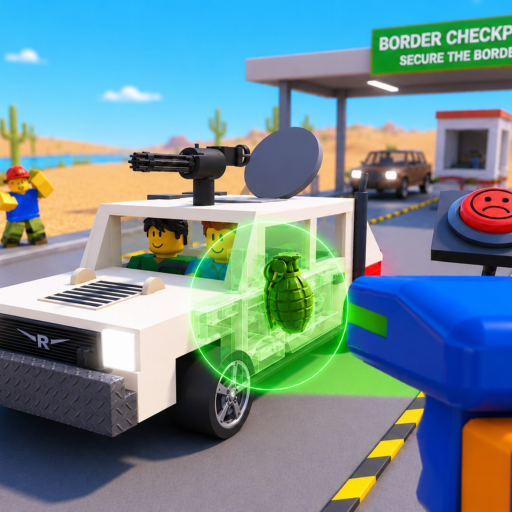
The gameplay example below can help you recognize where document checks fit in a shift. It cannot establish the exact current fields or decision rules.
Start with the confirmed scope
The official game page says players check driver documents. That establishes the interaction, not a final list of information every document contains. When the panel opens, read the visible headings and values from top to bottom. If a field is absent, do not treat that absence as a mismatch unless the game itself supplies clear feedback.
Keep the document open long enough to understand its layout. Identify which text belongs to the driver, which belongs to the vehicle or checkpoint, and which is an interface instruction. Decorative text, icons, or colors may help navigation, but they are not automatically a rule.
Open the official Roblox experience when you need to confirm the current game identity and description.
Use a two-pass document review
The first pass is for coverage; the second is for comparison. This prevents one striking detail from pulling your attention away from the rest of the panel.
| Pass | Player action | Record | Do not assume |
|---|---|---|---|
| Coverage | Read every visible heading and value | Exact field names and displayed text | That an unlisted field must exist |
| Identity | Compare driver-related details presented together | Any current interface highlight or mismatch feedback | A real-world document rule applies |
| Vehicle context | Keep vehicle observations in a separate note | Scan, trunk, or engine result | A document concern proves an illegal item |
| Decision | Read the available live outcomes | Chosen action and game response | An undocumented penalty or reward amount |
| Review | Date the observation after the vehicle resolves | Client wording and result | The rule will remain unchanged through Alpha |
On the coverage pass, move line by line without deciding. On the comparison pass, revisit only relationships the current interface makes available. If the game highlights a field or explains a mismatch, preserve its wording. If it gives no clear guidance, mark the observation unresolved rather than inventing a standard.
Combine documents with vehicle evidence carefully
Documents are one evidence channel. X-rays, trunk searches, and engine searches are other channels confirmed by the official description. Record each result independently before combining them. A document concern does not name an item, and a scan shape does not prove which document field should fail.
Use a compact sequence:
- Document note: exact visible field or feedback.
- X-ray note: exact highlight, shape, or message shown.
- Physical-search note: area searched and live result.
- Special-event note: any bribe, smuggler, or raider prompt displayed.
- Decision note: action offered by the current interface and final response.
This structure is especially useful when the shift becomes harder over time. You can shorten the note, but keep the categories separate. Mixing them early makes it difficult to diagnose why a decision succeeded or failed.
Handle unclear or changing feedback
If a document panel is unreadable, first check whether camera movement, screen size, interface scale, or another menu is causing the problem. The best settings guide gives you a one-variable test without naming menu options that were not verified.
If the wording changed after an update, capture the new label and date. Do not overwrite an old record as though it never existed; mark it historical and follow the current client. The official title labels the game Alpha at the review date, so interface changes are plausible even when the core document-check interaction remains.
When uncertain, choose the path the live game makes available rather than applying a real-world law or another game's logic. This is a Roblox simulation with its own feedback system, and the evidence packet does not support a universal external ruleset.
Frequently asked questions
What documents do drivers show in Secure the Border?
The official description confirms document checks but does not publish a complete current document or field list. Record the exact panel headings shown in your live client.
What are the document red flags?
No reliable complete red-flag catalog was available. Use explicit current interface feedback and compare only the visible relationships rather than importing rules from another game.
Does a document mismatch prove the car has illegal items?
The evidence does not establish that rule. Keep document, X-ray, trunk, and engine observations separate until the current game gives you a decision outcome.
Can document rules change during Alpha?
Yes, current interface details may change. Date your notes and recheck the live panel when an update alters fields, highlights, or available decisions.